
Model
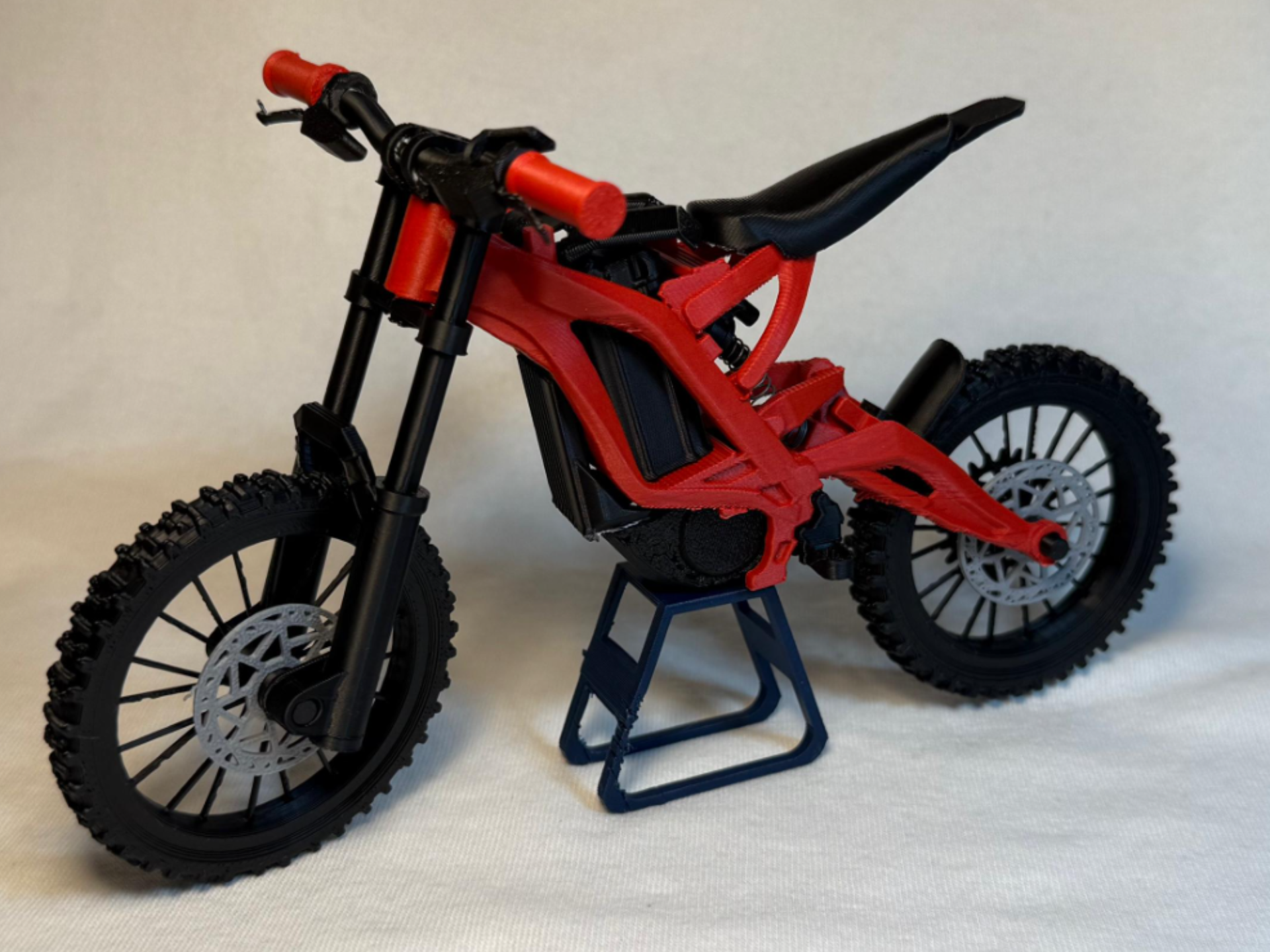
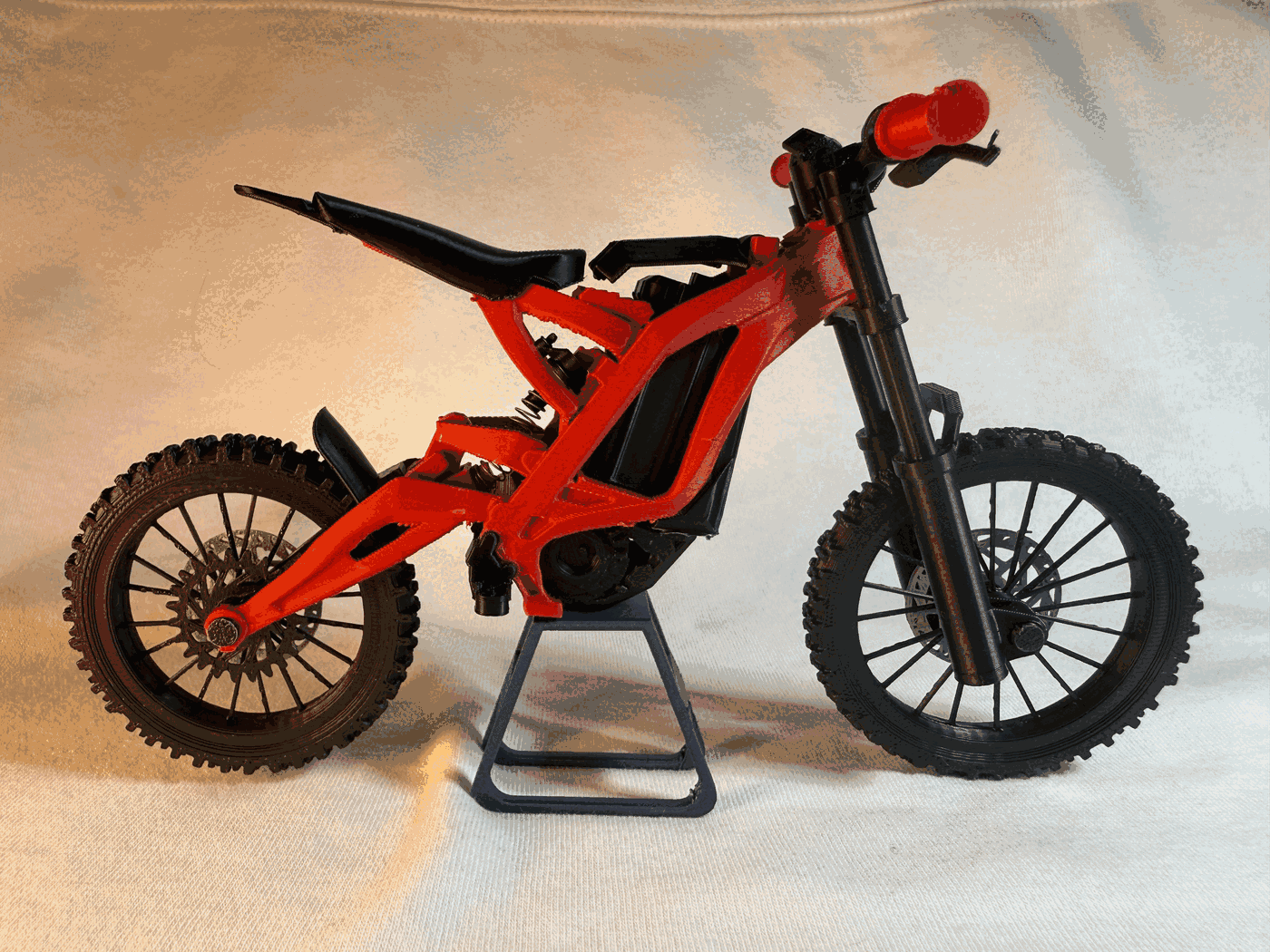
Mini Surron Light Bee X (Electric Dirt Bike)
Description
Surron Light Bee X - model kit
Edit: Updated Handlebars for more reliable prints
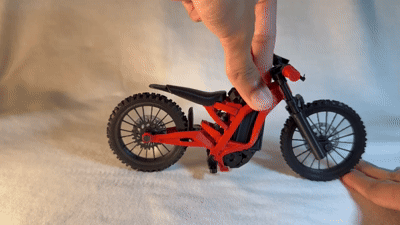
This is a 1:9 scale Full Suspension Electric Dirt Bike model with FUNCTIONAL front suspension, rear suspension, rotating wheels and removable battery. It is easy to print and assemble and has a lot of realistic visual detail. Fully 3D printed besides 2 springs (optional) for the suspension.
This model is probably my most detailed yet, All the bikes linkage is accurate to the real one - all freely moving and functional.
Dirt AND Supermoto Wheels Available! (Separate print profiles)
Also works quite well with Dummy 13 by Lucky 13 Toys at 150% scale (last 3 pictures!) Assembly is pretty easy! See steps below -
Feedback is greatly appreciated!
You will need some glue!
CLEAN BUILD PLATE BEFORE PRINTING FOR BEST RESULTS!! :)
parts - especially on the frame have very tight tolerances!
Frame along with all the functioning linkage is fully print in place with few supports (remove with care!)
Spring Dimensions - Both the front and rear suspension uses springs which you can easily find in pens Front Spring →
- Diameter - 5mm or less.
- Length - 30 mm or less
Rear Spring →
- OUTER diameter - 6mm or less.
- INNER diameter - 3.5mm or more.
- Length - Around 20mm (not a defined number - you can experiment!)
ASSEMBLY-
(may seem long but don't worry - it's not really!)
Wheels ASSY -
-
- Grab the two halves of the wheel labeled (rear wheel)
- Place the wheel alignment guides (2 small blue pieces) into the grooves on one half of your wheel.
- apply glue all around wheel if needed.
- Find the 2nd half of the wheel using the text to match - then place the 2nd half of the wheel onto the first. Ensure proper alignment of the tire tread.
- Keep pressure on the wheel until glue sets - then set aside
2. align the keyhole and slide the rear sprocket onto any side of the rear wheel hub (apply glue if its too loose)
3. On the opposite side of the same wheel - align keyhole and slide on one of the brake rotors (apply glue if its too loose)
4. Repeat step 1 for the FRONT wheel (try not to mix up both wheels)
5. Slide on brake rotor on the front wheel on the side of the wheel hub with the keyhole bump! (repeat step 3 but on the front wheel)
FORK ASSY - 1. Slide the fork stanchion into the fork body. ensure orientation is same as picture.
a. (the circular side goes in first from the bottom of the fork body).
b. Slide stanchions back and forth a few times to smoothen its motion.
2. Press steerer tube into the stanchions until about 16mm of the stanchion is above the steerer tube (refer step 3 picture) (DONT glue just yet)
3. Slide the longer pen spring into any one of the bottom holes in the fork body.
4. Press the fork body caps into the bottom of the fork body. (Apply glue here)
5. Slide your FRONT wheel (thinner of the two) in-between the fork bodies - secure wheel by sliding in front axle into place. (any one of the axles). then set aside (ensure the front wheel is oriented such that the brake disc is on the left side of the bike)
COCKPIT ASSY - 1. Slide stem through handlebar till it is in the center of the handlebar. (secure with glue once centered on handlebar)
2. Slide on brakes - then grips. repeat on other side too - on left side make sure to slide display on - then brake - then grip (refer 2nd picture below) (secure with glue if needed)
How it should look -
MAIN ASSY - PIVIOT ALL the linkage and joints on the frame very gently by hand to loosen them up a little bit.
1. Slide your second spring onto the rear shock body -
2. slide this into place on the frame (refer next two pictures below)
(this may be a little finicky)
for this I found it easier to first place the exposed end of the spring in place first then the side with the shock body.
How it should look - (part of the frame in picture is HIDDEN for clarity)
3. Apply glue to the connector - then gently press the controller into its place on the frame (refer picture)
4. Apply glue on the connector then press the Motor into place on the frame (refer next 2 pictures below)
Section view -
5. Slide battery into its place in the frame - might require a tiny bit of force.
6. press fit the battery latch in place - (bit of force needed for it to snap into place) - this piece can rotate to open and close!
7. Apply glue to the contact points and slide on the foot peg (refer two pictures below)
How it should look -
8. Repeat step 5 on other side!
9. press seat onto frame seat rails - (apply glue as needed)
10. Slide the whole front assembly we made earlier through the steerer tube on the main frame. - hold in place
11. Press on the whole cockpit assembly onto the fork assembly to hold it in place. You can apply a small drop of glue here to keep this secure. (Make sure stanchions go around 1mm above the stem (refer 2nd picture below).
How it should look -
12. Slide the whole rear wheel into place and secure with the rear axle. (ensure that the rear sprocket is on the right and brake rotor on the left!)
13. Apply glue then press and hold rear mudguard in place until glue sets
Enjoy :)
License

Files
Model files
Download all files
dirt-wheels-surron.3mf
battery-battery-3.stl
brake-rotor-brake-disc.stl
cockpit-brake-left-8.stl
cockpit-brake-right-8.stl
cockpit-display-1.stl
cockpit-grip-left-10.stl
cockpit-handlebar-8.stl
cockpit-throttle.stl
fork-axle-3.stl
fork-fork-body-2.stl
fork-fork-cap-left-9.stl
fork-fork-cap-right-9.stl
fork-fork-stanchion-left-5.stl
fork-fork-stanchion-right-5.stl
fork-steerer-tube-10.stl
front-wheel-front-wheel-p1-8.stl
front-wheel-front-wheel-p2-8.stl
full-suspension-frame-battery-hatch-1.stl
full-suspension-frame-controller-1.stl
full-suspension-frame-foot-peg-left-1.stl
full-suspension-frame-foot-peg-right-1.stl
full-suspension-frame-motor.stl
full-suspension-frame-rear-mudguard-1.stl
full-suspension-frame-seat-1.stl
gears-rear-sprocket-1.stl
rear-axle-1.stl
rear-shock-shock-top-2.stl
rear-wheel-rear-wheel-p1-8.stl
rear-wheel-rear-wheel-p2-8.stl
rear-wheel-wheel-connector-1.stl
stand-stand-19.stl
stem-stem-10.stl
supermoto-front-wheel-as-one-piece.stl
supermoto-front-wheel-p1.stl
supermoto-front-wheel-p2.stl
supermoto-rear-wheel-as-one-piece.stl
supermoto-rear-wheel-p1.stl
supermoto-rear-wheel-p2.stl
supermoto-wheel-connector.stl
surron-x-full-frame.stl
supermoto-wheels-surron.3mf